Names you can trust
Chords, extensions, inversions and slash chords, with an alternative reading offered where a voicing has more than one musically useful name.
See MIDI chords, inversions and scale suggestions as you play, with a clear keyboard view and musical key detection.
Try the demo in your DAW. Downloads & compatibility.
Own v1? Your upgrade is free.

ChordLens gives a visual answer to the notes under your hands. Keep it nearby while composing, learning a progression or explaining an idea to someone else.
Recognize chords, extensions, inversions and slash chords from incoming MIDI.
Explore chord-scale suggestions and a stable estimate of the musical key as your performance develops.
A compact keyboard display follows notes and sustain while passing MIDI through unchanged.
Notes in, names out. The key learns from what you play, and stays silent on the way through.
Understand an improvised progression.
Make a music lesson easier to follow.
Explore inversions without losing the thread.
As an instrument on a MIDI track with input monitoring on, or as the standalone app with your keyboard connected. It is silent, so route the same MIDI to a sound as well.
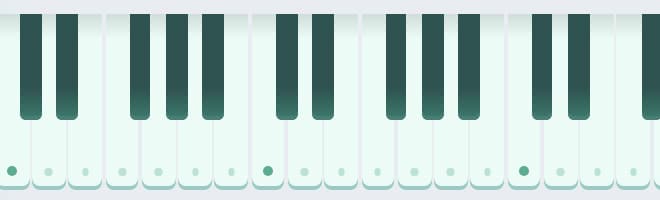
Lit keys show what is sounding, with a softer treatment for pedal-held notes. The name settles as your fingers land. A slash marks a different bass note.
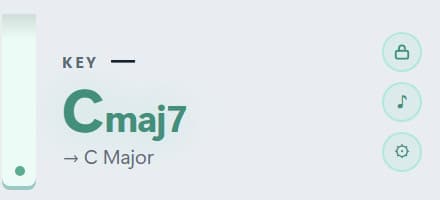
Play a progression and the KEY line finds it. Lock it once established, or leave it following. The arrow line suggests a scale over the current chord.
History holds up to 24 committed chords. Export them as a MIDI file to drop into your session or hand to someone else.
Chords, extensions, inversions and slash chords, with an alternative reading offered where a voicing has more than one musically useful name.
Key detection correlates the performance over time rather than guessing from one chord. Choose a steadier speed for arrangements with passing tones, or lock it.
Chord-scale suggestions follow the current chord in the current key context. A suggestion, not a verdict on your composition.
Green or magenta chroma-key backgrounds for OBS. Streamer mode hides the control rail until you need it. Resize wider for labels, taller for history.
MIDI passes through unchanged. Devices hot-plug. If the display stalls, a watchdog retries and offers a reload. Repeated strikes under sustain are preserved.
A Windows standalone app for teaching and streaming, or a VST3 instrument inside your DAW. Same engine, same display.
| FORMATS | VST3 instrument · standalone app |
|---|---|
| OUTPUT | Silent, with unchanged MIDI passthrough |
| HISTORY | 24 chords, with the last eight as chips |
| EXPORT | Chord progression as a .mid file |
| KEY DETECTION | Learns over time · adjustable speed · lock |
| BACKGROUNDS | Chroma-key green and magenta |
| LOOK | Light and dark · accent and piano colours · note label and accidental options |
Try the demo with your own material first. Activation removes the interruptions and keeps the plugin yours.
By design. ChordLens analyses MIDI and stays silent. Route the same MIDI to an instrument on another track, or use your DAW’s MIDI routing.
Key detection needs musical context. Play a few chords, release the sustain pedal for a clean voicing, choose a steadier detection speed, or lock the key once it settles.
Yes. Pick a chroma-key background, enable streamer mode to hide the rail, and size the window for the overlay. Keep the settings panel closed during capture.
The demo briefly pauses the display at intervals and shows a ten-day trial counter. Activation removes the pauses. If you own ChordLens v1, the upgrade is free.
Windows builds are 64-bit VST3. Mac builds are universal for Apple silicon and Intel, in VST3 format. Check the compatibility and installation guide before buying.
Windows requires Microsoft WebView2. Mac uses its built-in WebKit and needs no separate web runtime. Mac downloads currently use local signing and are not Apple-notarized; see the Mac installation notes.
Demo mode briefly pauses the display at intervals. ChordLens analyses MIDI, not audio, and does not generate sound.
Downloads & setup