Ten taps, one loop
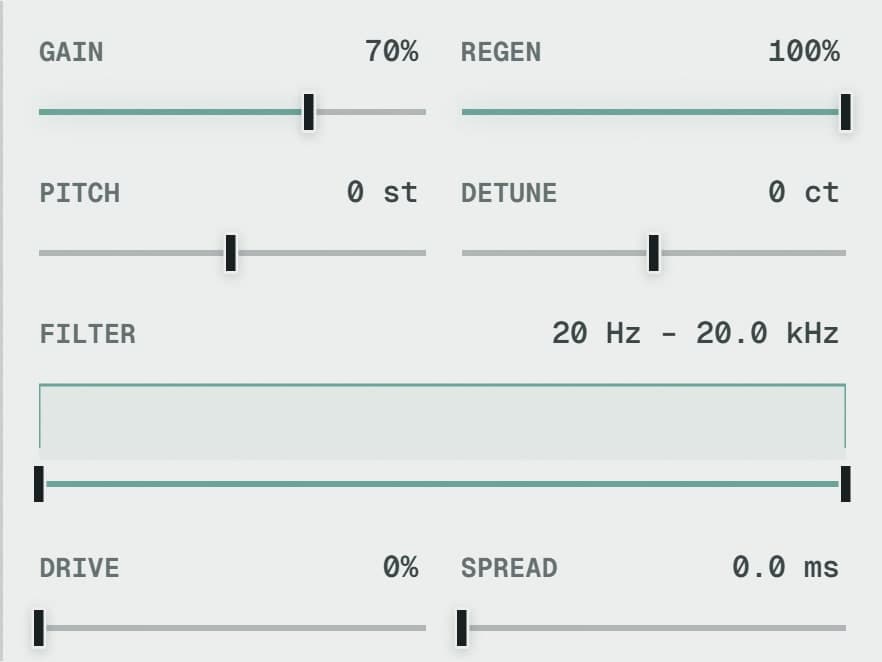
Every node reads the same shared feedback buffer, with its own gain, feedback send, semitone pitch, fine detune, filters, drive, stereo spread and forward or reverse playback.
Place echoes in a spatial field. Move between tape, BBD and cloud characters, from close repeats to wide, shifting textures.
Try the demo in your DAW. Downloads & compatibility.
Own v1? Your upgrade is free.
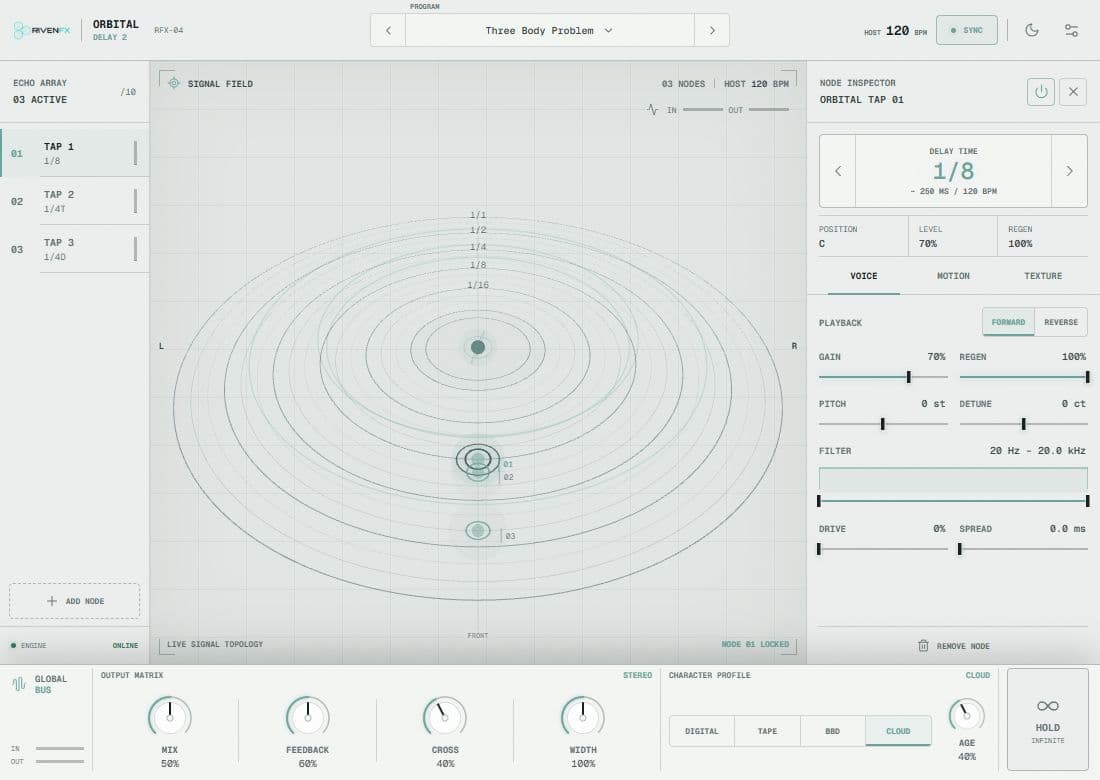
Orbital turns delay into a space you can explore. Arrange individual nodes, shape their character and let movement become part of the rhythm.
Build your delay around individual nodes, with per-node sound shaping and a visual sense of position.
Explore Tape, BBD and Cloud behaviours, then use filtering, distortion and pitch to take the repeats further.
Work with ping-pong routing, freeze, time modulation and ducking to create space around your source.
One take. Flip between the untouched recording and the processed version while it plays. Loudness is matched; nothing else changes.
Both versions matched to −16 LUFS with static gain, no limiting. Keys: space play · A dry · B wet · arrows seek.
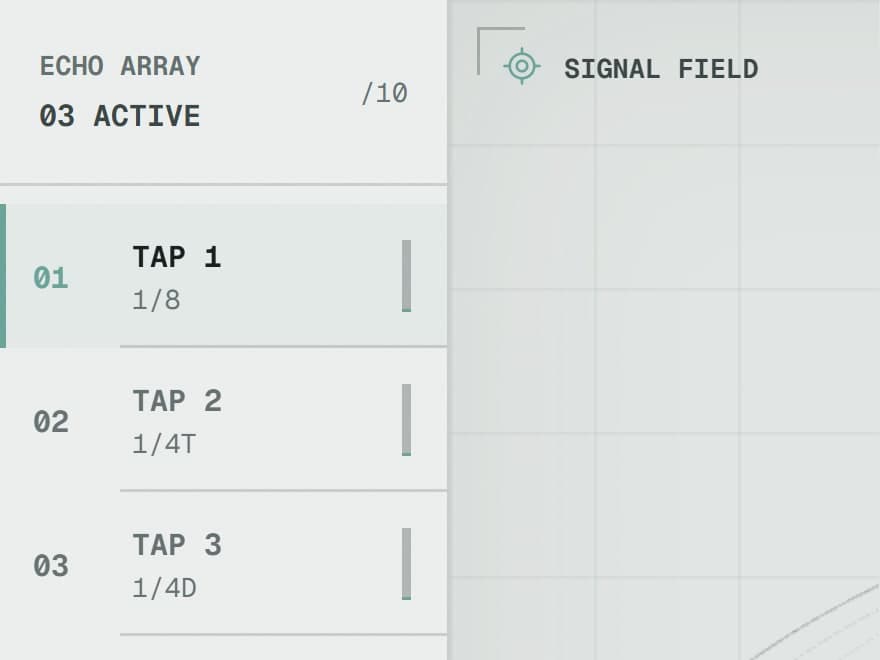
Ten taps read one shared feedback loop. Each has its own place, motion, pitch and character.
Put a vocal into a moving space.
Turn a short phrase into a rhythmic bed.
Freeze a moment and build around it.
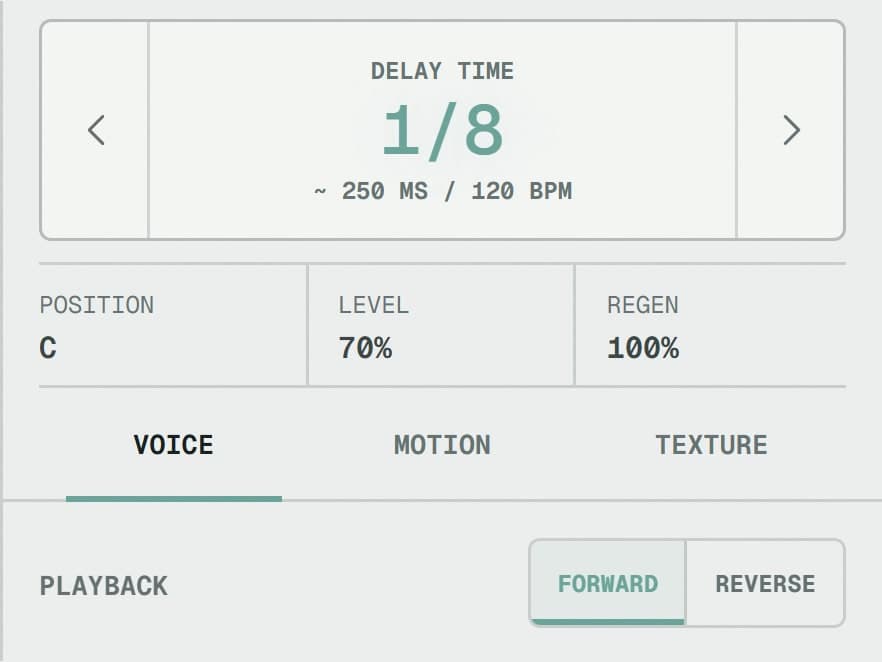

Fourteen factory programs, from Dotted Eighth and Tape Slap to wide, shifting textures. Each restores the engine to a known state so results repeat.
Mix for the amount, 100% on a return or lower on an insert. Feedback for the length; above 100% it sustains or grows into self-oscillation on purpose.
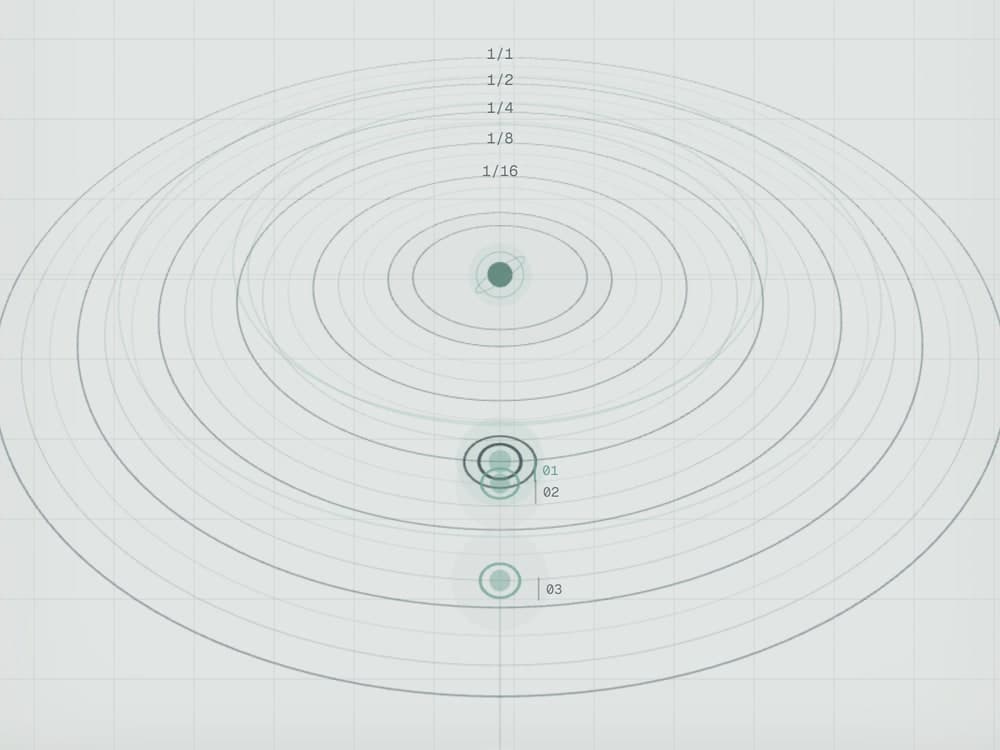
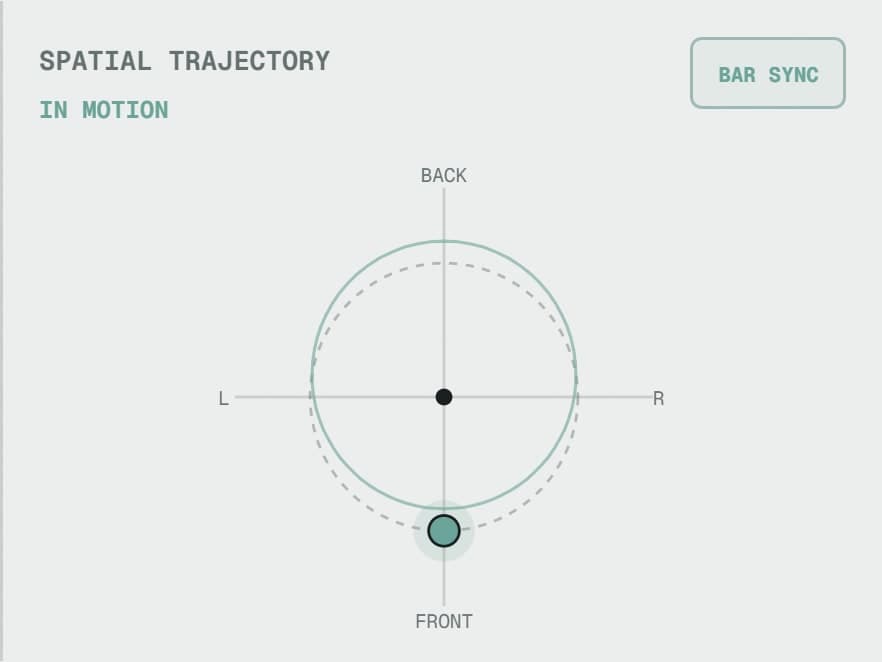
Add up to ten nodes. Drag them in the scene or on the orbital pad, or let them orbit in sync with the bar. Doppler bends the delay time as they move.
Digital, Tape, BBD or Cloud shapes every trip around the feedback buffer. Cross moves toward ping-pong, Width opens the wet image, Freeze holds a moment.
Every node reads the same shared feedback buffer, with its own gain, feedback send, semitone pitch, fine detune, filters, drive, stereo spread and forward or reverse playback.
Orbits are bar-synced over 8, 4, 2, 1 or half a bar. Doppler changes the delay time along the path. Grab a moving node and it stops where you hold it.
Digital stays clean. Tape and BBD colour each pass and BBD always glides between times. Cloud diffuses the repeats into a bed.
Hold captures a repeating segment based on the longest active delay and recirculates it without loss. Node processing can still shape what plays back.
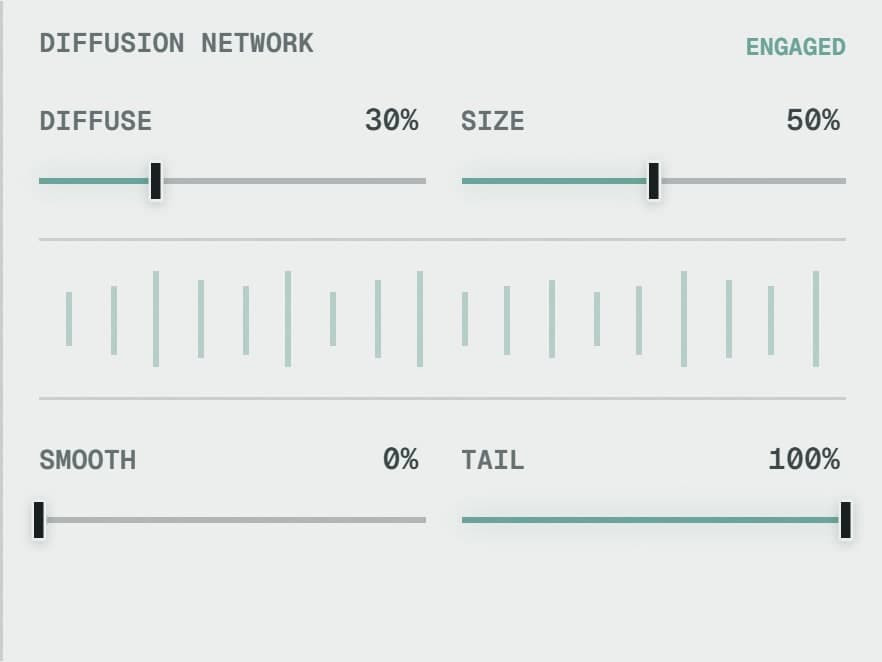
Diffusion amount and size, transient softening and tail shaping on each tap, so a close slap and a distant wash can live in the same loop.
Ducking and attack suppression keep the source clear. A limiter guards the wet bus. Warp or Glide decides how time changes feel, with inertia to taste.
| FORMATS | VST3 |
|---|---|
| TAPS | Up to 10, each independently positioned |
| DELAY TIME | Free 10 to 2500 ms · Sync with 17 divisions including dotted and triplets |
| CHARACTERS | Digital · Tape · BBD · Cloud |
| ORBIT SYNC | 8 · 4 · 2 · 1 · ½ bar |
| AUTOMATION | 134 parameters |
| PROGRAMS | 14 factory, unlimited user |
| INTERFACE | WebGL orbit display · follow camera · comfort view · light and dark |
| VERSION 1 | Separate plugin identity; installs alongside |
Try the demo with your own material first. Activation removes the interruptions and keeps the plugin yours.
Either. On a return, set Mix to 100% and send from the tracks you want. On an insert, use Mix to blend. Ducking helps the source stay in front on an insert.
Yes. Feedback above 100% will sustain or grow. The wet-bus limiter keeps it civilised but is not a brickwall, so leave headroom.
They keep working. Orbital Delay 2 uses a separate plugin identity and installs alongside v1. If you own v1, the upgrade is free from your library.
The demo briefly fades and mutes the output every 30 to 45 seconds and shows a ten-day trial counter. Activation removes the interruptions.
Windows builds are 64-bit VST3. Mac builds are universal for Apple silicon and Intel, in VST3 format. Check the compatibility and installation guide before buying.
Windows requires Microsoft WebView2. Mac uses its built-in WebKit and needs no separate web runtime. Mac downloads currently use local signing and are not Apple-notarized; see the Mac installation notes.
Demo audio is briefly muted at intervals. Activation removes the interruptions.
Downloads & setup